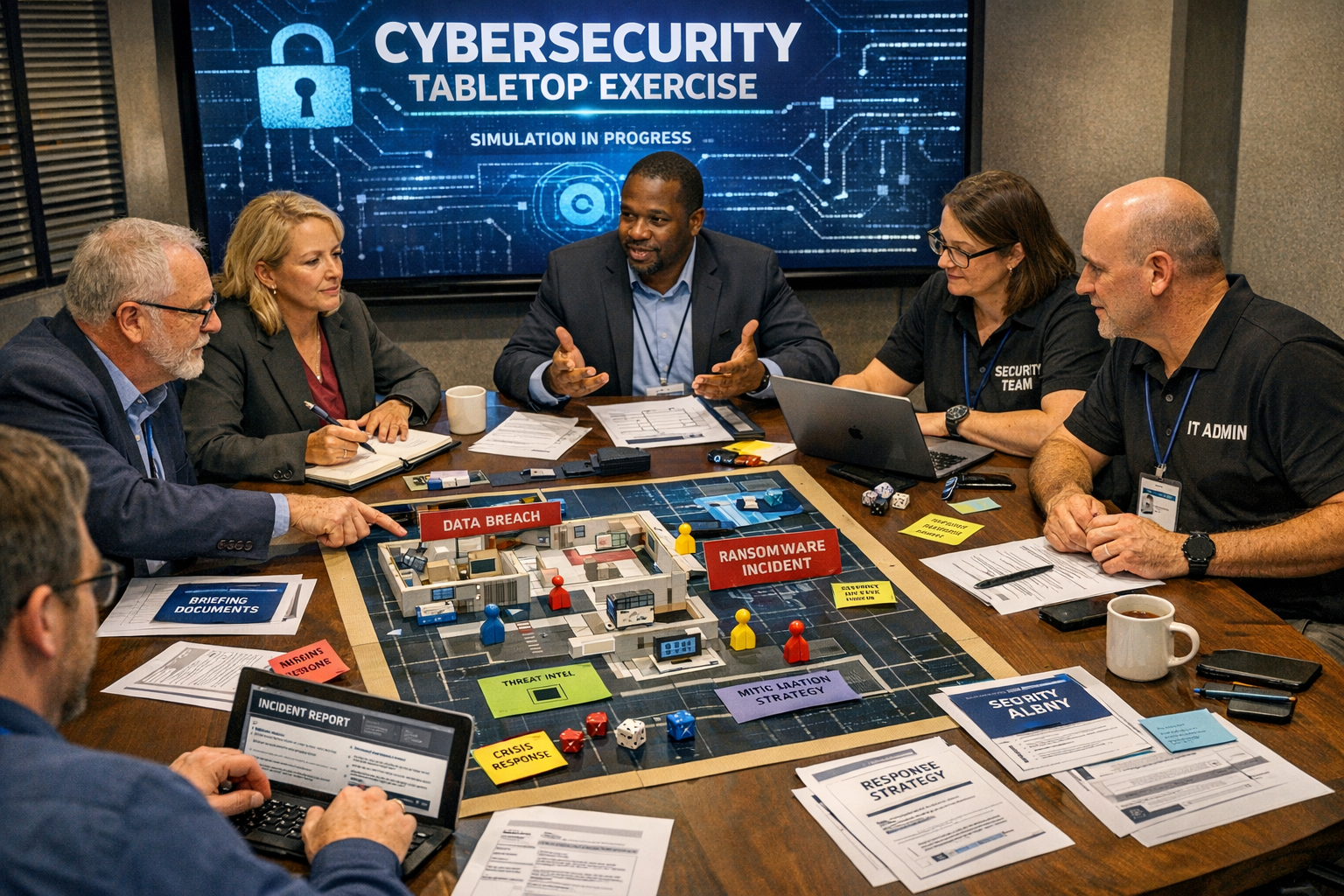
How to Run a Tabletop Cyber Incident Exercise: A Template for Small IT Teams
When a ransomware note pops up on a Monday morning, you don't want the first question to be "who do we call?" A tabletop cyber incident exercise is a structured, discussion-based drill that walks your team through a simulated attack — without touching production systems. It's cheap, fast, and genuinely effective.
This guide gives small New Zealand IT teams a practical template you can run in under 90 minutes. No fancy tools required — just a meeting room, a whiteboard, and a willingness to say "I don't actually know how we'd handle that."
Why tabletop exercises matter for NZ businesses
CERT NZ consistently reports that phishing, business email compromise (BEC), and ransomware remain the top threats to Kiwi businesses. The Privacy Act 2020 also requires you to notify the Privacy Commissioner of notifiable breaches — and "we'll figure it out if it happens" isn't a plan.
A tabletop exercise helps you:
-
Identify gaps in your incident response plan before attackers do
-
Clarify who makes decisions under pressure (IT? The GM? External counsel?)
-
Practise communication with staff, customers, and regulators
-
Validate that backups, MFA resets, and DNS changes can actually be performed by the people on call
What you need before you start
You don't need much, but do prepare these in advance:
-
A facilitator — ideally someone outside the core response team who can stay neutral
-
A scenario document (we'll provide one below)
-
Your current incident response plan — even if it's just a one-pager
-
An injects list — new information the facilitator drops in every 10–15 minutes
-
A scribe to capture decisions, gaps, and action items
Block out 90 minutes. Anything shorter feels rushed; anything longer and people check out.
The roles around the table
Core participants
-
Incident Commander — usually the IT Manager or senior sysadmin
-
Technical Lead — hands-on-keyboard person who'd execute containment
-
Comms Lead — often Marketing or the GM; handles staff and customer messaging
-
Executive Sponsor — CEO, CFO, or owner who can authorise spending and external help
Optional but valuable
-
External IT provider (MSP) representative
-
Legal or HR contact
-
A "red team" observer who plays the attacker's next move
A ready-to-run scenario: Business Email Compromise at "Kowhai Logistics Ltd"
Scenario: It's 8:47am Tuesday. Your accounts payable clerk, Sarah, forwards you an email. She's just paid a $64,000 invoice to a long-standing supplier, but the supplier has rung to say they never sent it. The email came from the supplier's real domain, with the correct logo and an updated bank account number in the PDF.
Inject 1 (10 minutes in)
Sarah mentions she received a similar email last week asking her to "update banking details on file" and she replied with confirmation. She used her work Microsoft 365 account.
Inject 2 (25 minutes in)
Your Microsoft 365 audit logs show a successful login to Sarah's mailbox from an IP in Lagos, Nigeria, three days ago. A mailbox rule called .. has been silently forwarding all messages from the supplier's domain to an external Gmail address.
Inject 3 (45 minutes in)
A journalist from a local business publication emails the CEO asking for comment on "the security incident at Kowhai Logistics." How did they know?
Inject 4 (65 minutes in)
Two more staff members report receiving suspicious emails that appear to come from Sarah.
Running the exercise: step by step
-
Brief the room (5 min) — Explain it's a no-blame learning exercise. Phones down. No googling allowed unless the facilitator permits it.
-
Read the scenario (5 min) — Hand out printed copies. Let people absorb.
-
Discuss the first 30 minutes of response (20 min) — Who gets called? What's contained first? Who talks to Sarah?
-
Drop injects on a timer (45 min) — Each inject forces a new decision. The scribe logs every "we'd need to..." and "I'm not sure who..."
-
Hot wash / debrief (15 min) — What worked? What didn't? Top three action items with owners and due dates.
Key technical checks the exercise should surface
A good tabletop will expose whether your email authentication is actually doing its job. If your team says "we'd check SPF and DMARC," make sure those records are real and enforced. Example records for a Kiwi business domain:
; SPF — authorises Microsoft 365 only
kowhailogistics.co.nz. IN TXT "v=spf1 include:spf.protection.outlook.com -all"

; DMARC — quarantine policy with reporting
_dmarc.kowhailogistics.co.nz. IN TXT "v=DMARC1; p=quarantine; rua=mailto:dmarc@kowhailogistics.co.nz; pct=100; adkim=s; aspf=s"
If your DMARC policy is still p=none, an attacker spoofing your domain to your own staff won't be blocked. Tabletop exercises are where teams realise this.
The debrief template
Capture these five things before anyone leaves the room:
ItemNotesWhat went wellGaps in the planGaps in toolingTop 3 action itemsOwner + due dateNext exercise dateWithin 6 months
Common mistakes to avoid
-
Making it too technical. Tabletops are about decisions, not packet captures.
-
Letting the loudest person dominate. The facilitator should specifically ask the Comms Lead and Executive what they'd do.
-
Not following up. If the action items aren't assigned owners and dates, the exercise was theatre.
-
Running the same scenario twice. Rotate: ransomware, insider threat, cloud account takeover, supply chain compromise.
How often should you run one?
Every 6 months is the sweet spot for most small teams. Align one with your annual insurance renewal — cyber insurers increasingly ask for evidence of incident response testing, and a dated debrief document ticks that box.
Start with what you can control: your email domain
Most incidents in the scenario above start with email. Before your next tabletop, make sure your SPF, DKIM, and DMARC records are actually protecting your domain — not just sitting there in monitor-only mode.
Run a free check with xteam's MailCheck tool — it takes 30 seconds, shows you exactly where your email authentication is weak, and gives you the records to fix it. It's the simplest pre-exercise homework your IT team can do.